
What's inside the kit
One zip: templates, an offline generator, a Workspace push script, and the SOPs that get signatures live without a subscription or a vendor login.
Built the way email renders
Table layout, inline styles, safe fonts, 500 px max — the boring stack that keeps its shape where flexbox designs collapse in Outlook's Word engine. Includes photo, banner, EU-legal, AI-disclosure and booking-CTA variants.
Fill-the-form generator
One HTML file that runs from a double-click. Teammates fill fields, preview live, copy finished HTML. Nothing to install, nothing sent anywhere — it works with the network cable unplugged.
One Sheet, one script, every signature
A Google Apps Script writes each person's signature through Gmail's own API — inside your domain, with your data. A new joiner is one row and one run.
Three real routes for Microsoft 365
Paste-along, transport-rule legal footer, or the tool you already pay for — the SOP says when each fits instead of pretending there is a magic bulk button.
Client test matrix included
No template renders identically everywhere, and we won't claim ours does. The kit ships the checklist that verifies yours in Gmail, Outlook, Apple Mail and on phones — with a failure table that names causes and fixes.
Sell it as a service
Packages, a pitch email, a PII consent checklist and a delivery runbook. The license covers agency use on client work — your reports, your logo.
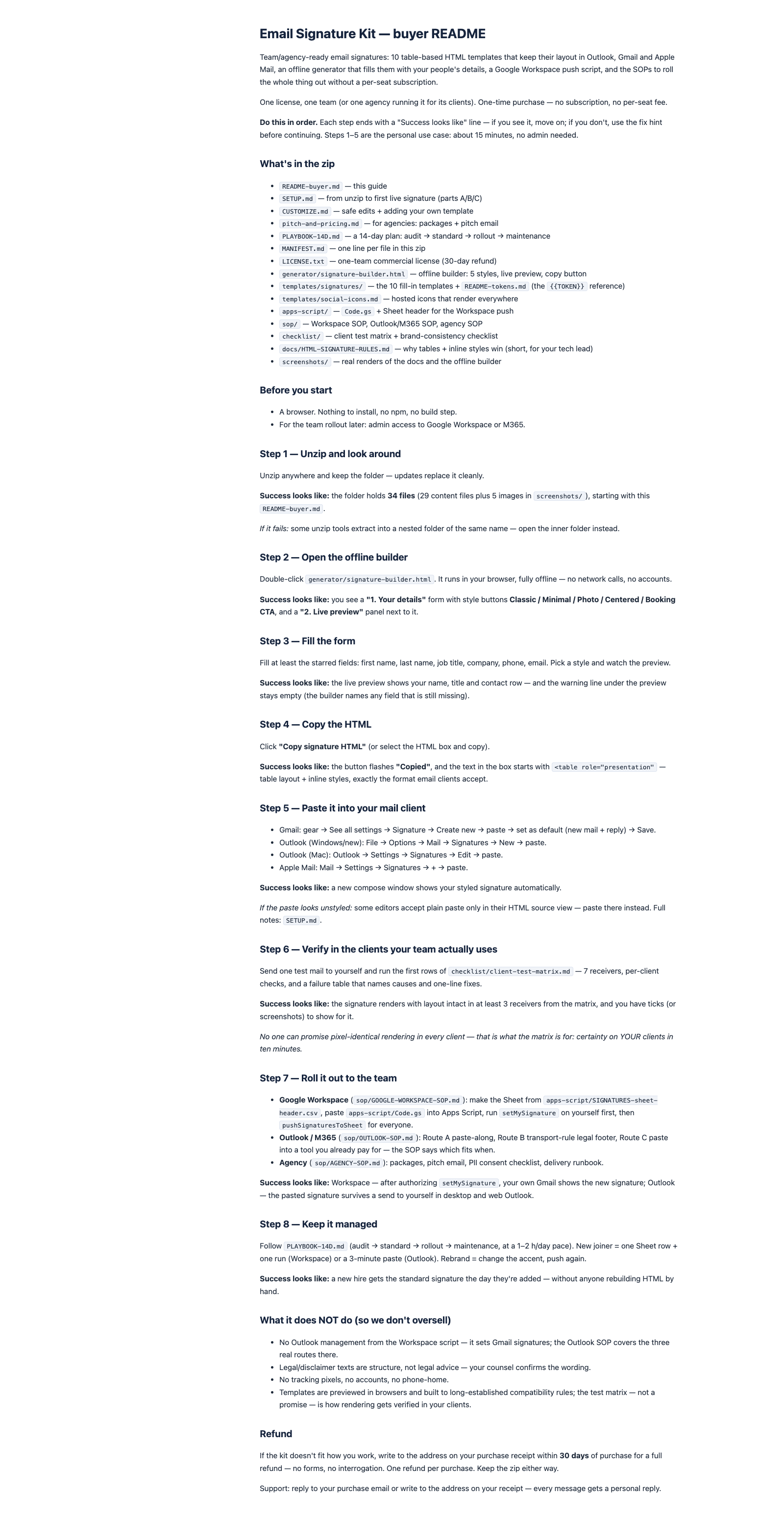
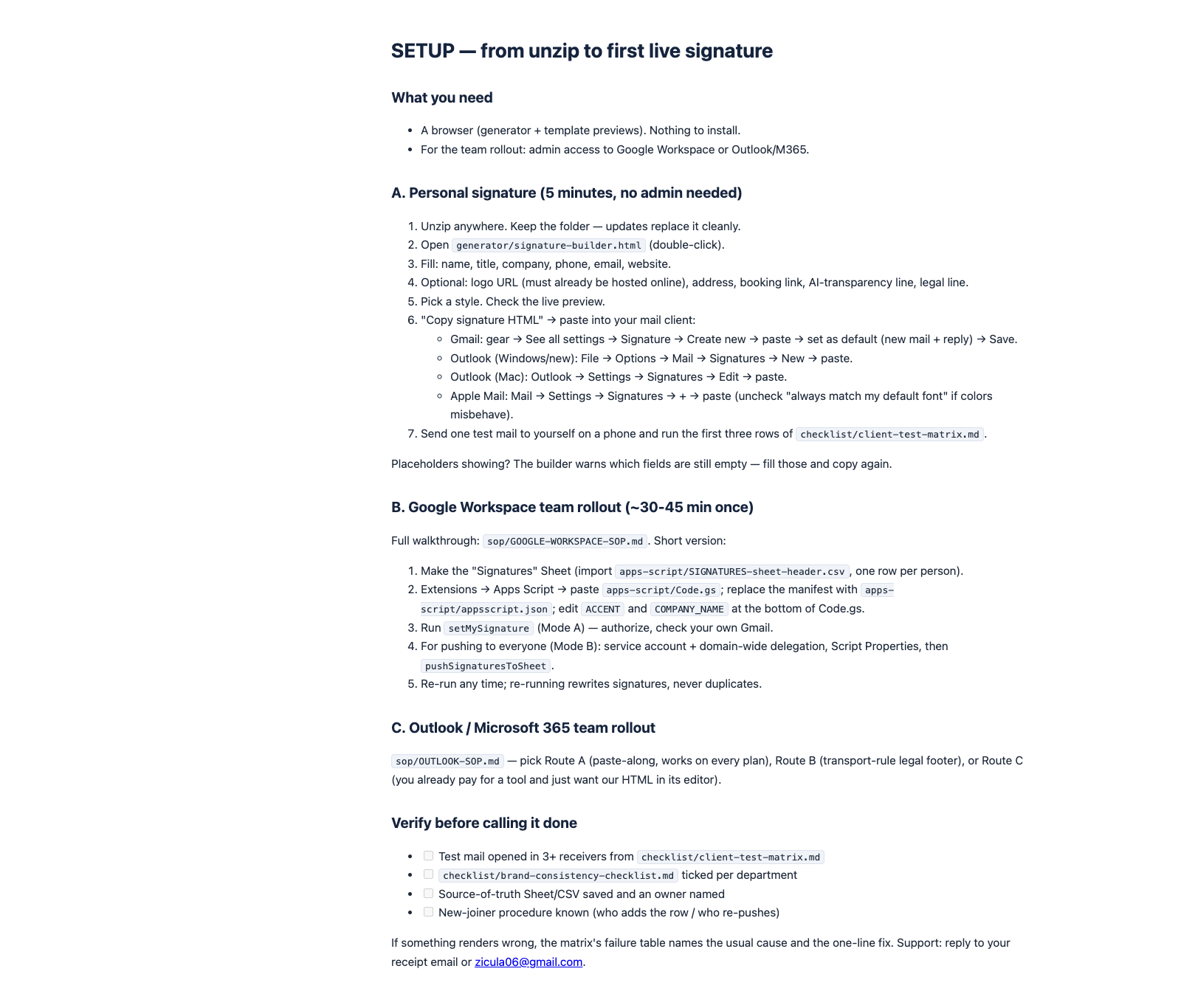
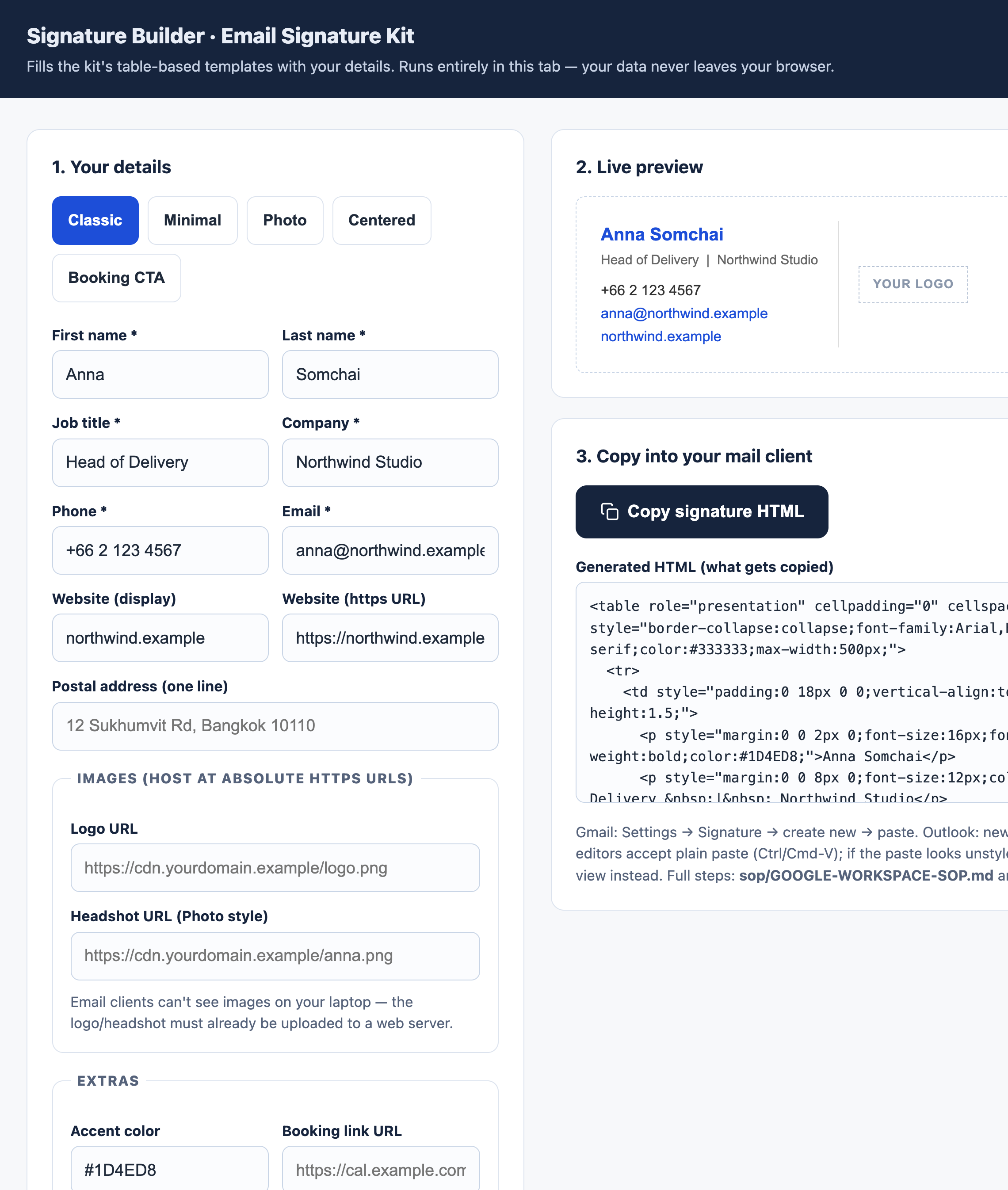
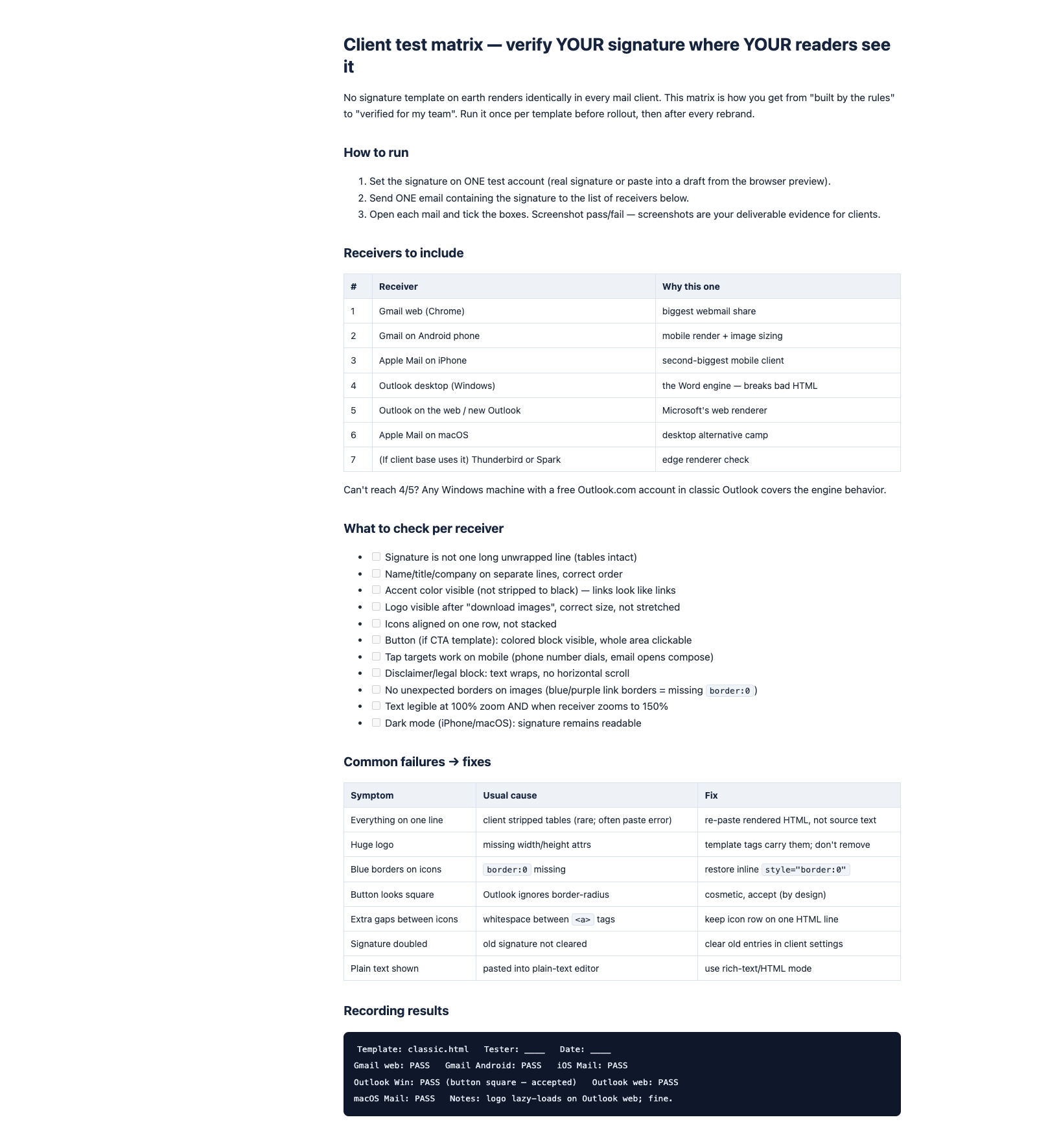
Real files from the zip, rendered as-is — no mockups.
Who's behind this?
Zicula is a one-person studio — hi, I'm Zic. Every kit here, including this one, is written, tested and shipped through documented process, and the support email is answered by me, not a helpdesk. This store's own build, QA and deploy pipeline runs on the same kind of SOPs and checklists we sell.
- Free sample, instant download — no email required.
- 30-day refund, processed in Stripe — no forms, no interrogation.
- Free updates for v1.x — re-download from your purchase page.
- Real human support: [email protected]
Not sure yet? Try a free sample
Three real files from the kit, trimmed to taste: the first 4 of the 10 HTML build rules with the reasoning behind them, 3 of the 7 test receivers and 4 of the 11 checks from the client test matrix, and the contact cell of the classic template — real table + inline-style email HTML, tokens included. Instant download — no email needed.
Built by the rules email actually enforces
Outlook on Windows renders with the Word engine. No flexbox, no grid, partial CSS, quirky margins. Tables and inline styles are the only layout that survives it — so every template in this kit uses exactly that.
Gmail strips style blocks and scripts. What survives the sanitizer is what lives in each tag's style attribute — so that is where every style in these templates lives.
Images are blocked by default. Absolute https URLs, width and height attributes, and real alt text are how your logo still lands correctly when a receiver clicks "download images".
How it works
Three steps from zip to a managed standard.
Set the standard
Pick a template in the offline builder; fix the accent color, logo and legal line once. That is your company standard decided — in one afternoon.
Roll it out
Google Workspace: fill the Sheet, run the script. Outlook: the SOP's paste-along or transport rule. Either way, run the test matrix on one mail first.
Keep it managed
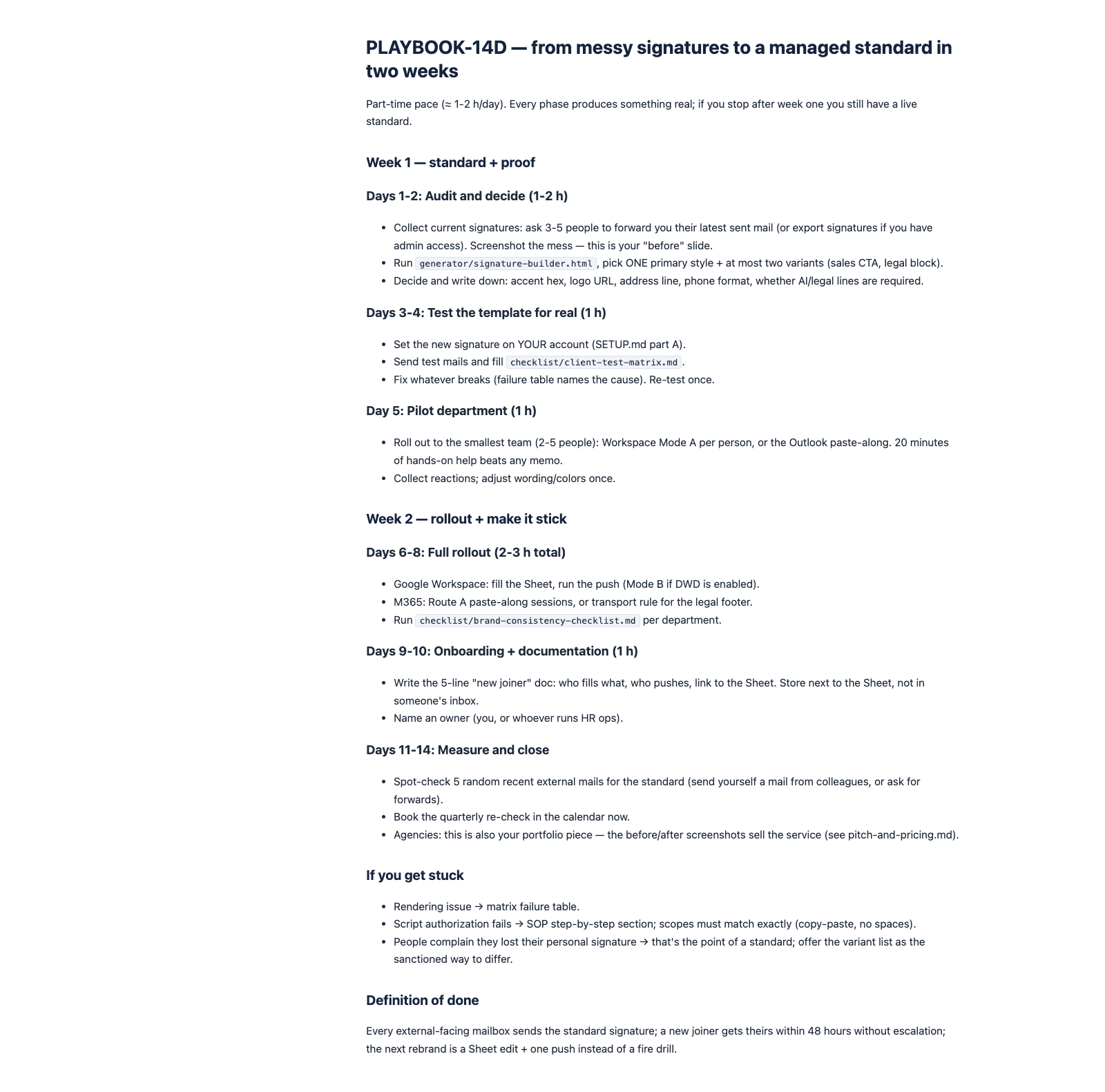
New joiner: one row and one run (Workspace) or a 3-minute paste (Outlook). Rebrand: change the accent, push again. The 14-day playbook walks you through all of it.
What it costs next to the alternatives
The same math that probably brought you to this page.
| Approach | This kit | Per-seat hosted tools | Free generators |
|---|---|---|---|
| Cost, 10-person team | $42 once | ≈ $120–240 every year | $0 + hours fixing Outlook |
| Team rollout | Script + SOPs included | Admin console setup | Not included |
| Rendering confidence | Test matrix + failure fixes | Varies by vendor | Breaks in Outlook |
| Your data | Stays in your domain / browser | Vendor cloud | Generator's website |
| Lock-in | None — plain HTML files | Cancel = signatures go too | None |
Made for three kinds of teams
If you match one of these, the kit was built for you.
Teams on Google Workspace
You want signatures managed like everything else in Google: from one Sheet, with a script, no per-user chores, no third party reading your mail metadata.
Small companies on Microsoft 365
You need the legal footer enforced and personal signatures that survive Outlook — and you would rather not add a per-seat subscription to do it.
Agencies and MSPs
You already do this manually for clients. The kit plus the agency SOP turns it into a productized $300–500 project with a test report as proof.
One price. Your whole team.
No subscription, no per-seat fee, no account on our side.
- 10 templates + offline builder + Workspace push script
- Workspace, Outlook/M365 and agency SOPs
- Free updates for v1.x
- 30-day refund policy — keep the zip either way
Frequently asked questions
The questions that decide this purchase.